
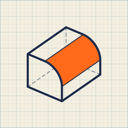
Fillet Guide
Design 3D-printable parts on iPad and Mac. Sketch, add features, change anything later.
Your first part
Five steps from an empty bed to a file your printer understands.
Design with AI agents
Ask for a part. Watch it appear.
Connect Claude Code or another MCP client and describe what you need. The agent sketches, extrudes and fillets in your open design. Every step lands on your timeline, and you can edit or undo it like your own.
Connect an agentGet Started
Sketch & Model
Sketch a profileDraw profiles with Apple Pencil, snap to geometry and type exact sizes.Extrude, revolve and Press PullTurn a sketch into a solid, cut pockets and push faces.Round, bevel and hollow: Fillet, Chamfer and ShellRound edges, bevel corners and hollow out a part.Drill holes for screwsClearance, counterbore, countersink and insert holes from M2 to M6.Work with bodies: primitives, combine, move and mirrorAdd primitives, combine bodies, and move or mirror them.Repeat with patternsRepeat bodies or features in a row or around an axis.